Emlid

Native Updater

Updating receivers demands too much user effort. The firmware update process is unclear and time-consuming, causing users to delay updates and miss important improvements, features, and fixes.

  • iOS
  • Android
  • Desktop
Line drawing of a surveyor holding a GNSS receiver beside a phone showing a firmware update in progress

Role

As product designer, I owned the project from pitch to release. I shaped direction, aligned updater experience with technical constraints across teams, and ensured a coherent end-to-end flow for users.

Results

Firmware updates became part of Emlid Flow. Updates could run in the background without interrupting fieldwork, allowing users to update multiple receivers simultaneously.
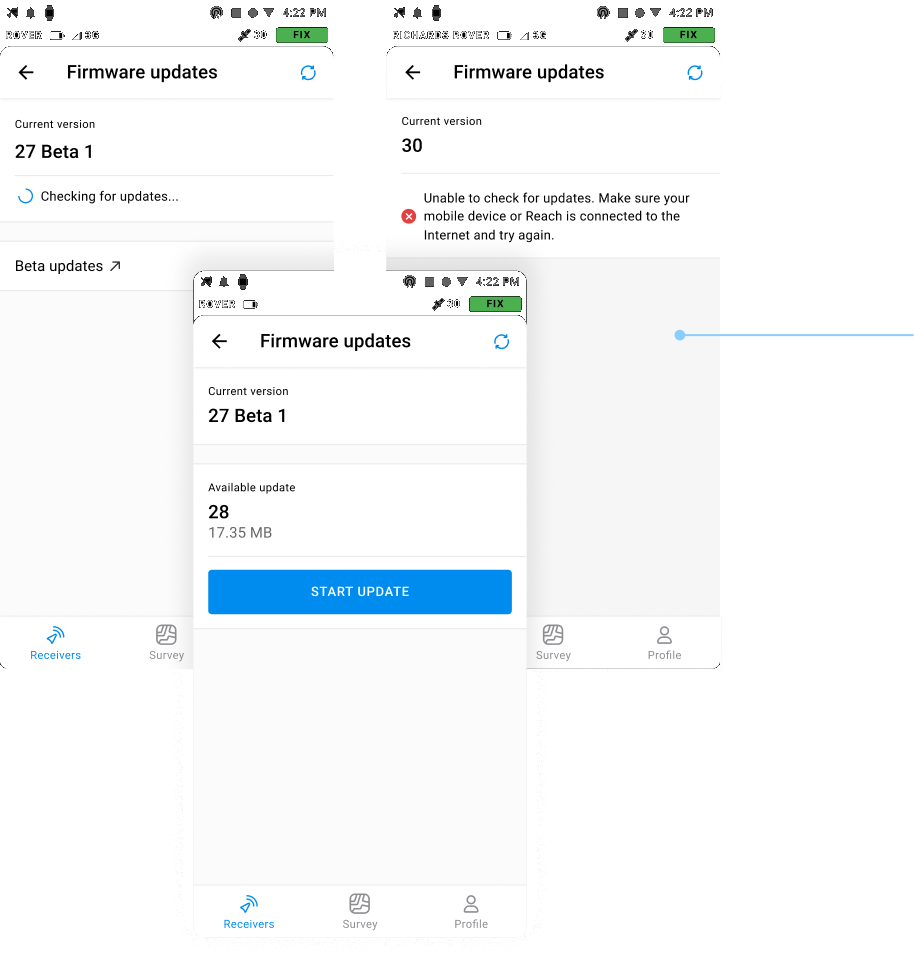
Clearer update checking, with a visible progress state, specific errors, and the details of the available update.
Firmware update screens: checking for updates, a connection error, and an available update ready to start
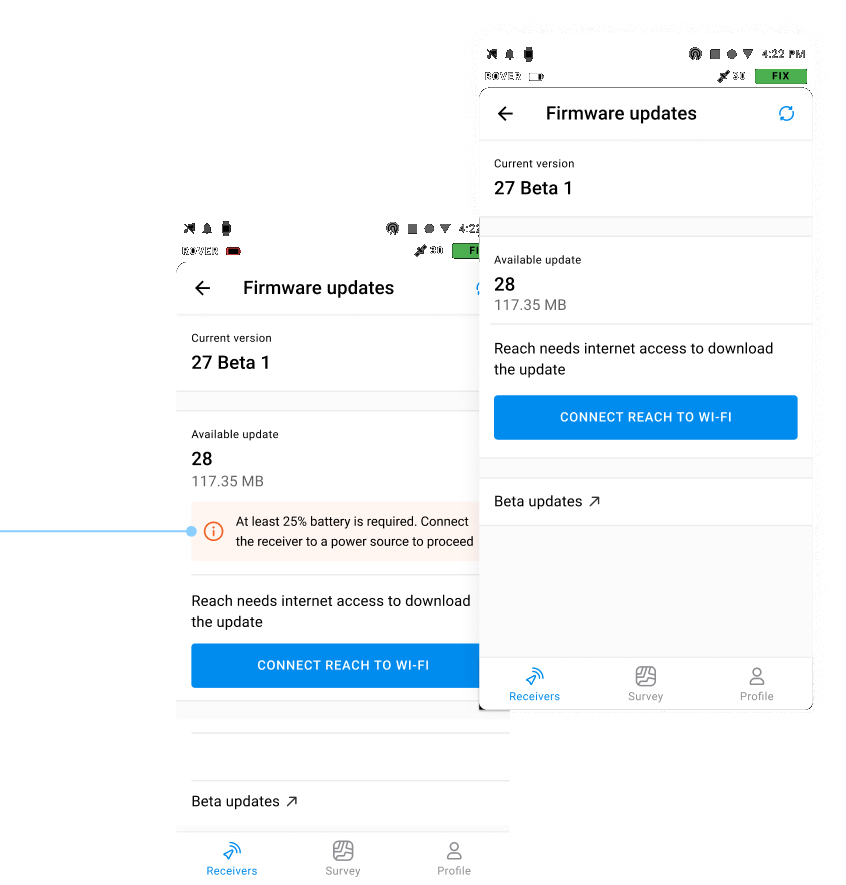
The app checks battery and connection first, so the update is not stopped by a drained battery or unexpected mobile data.
Firmware update screens for low battery and connecting Reach to Wi-Fi before the download
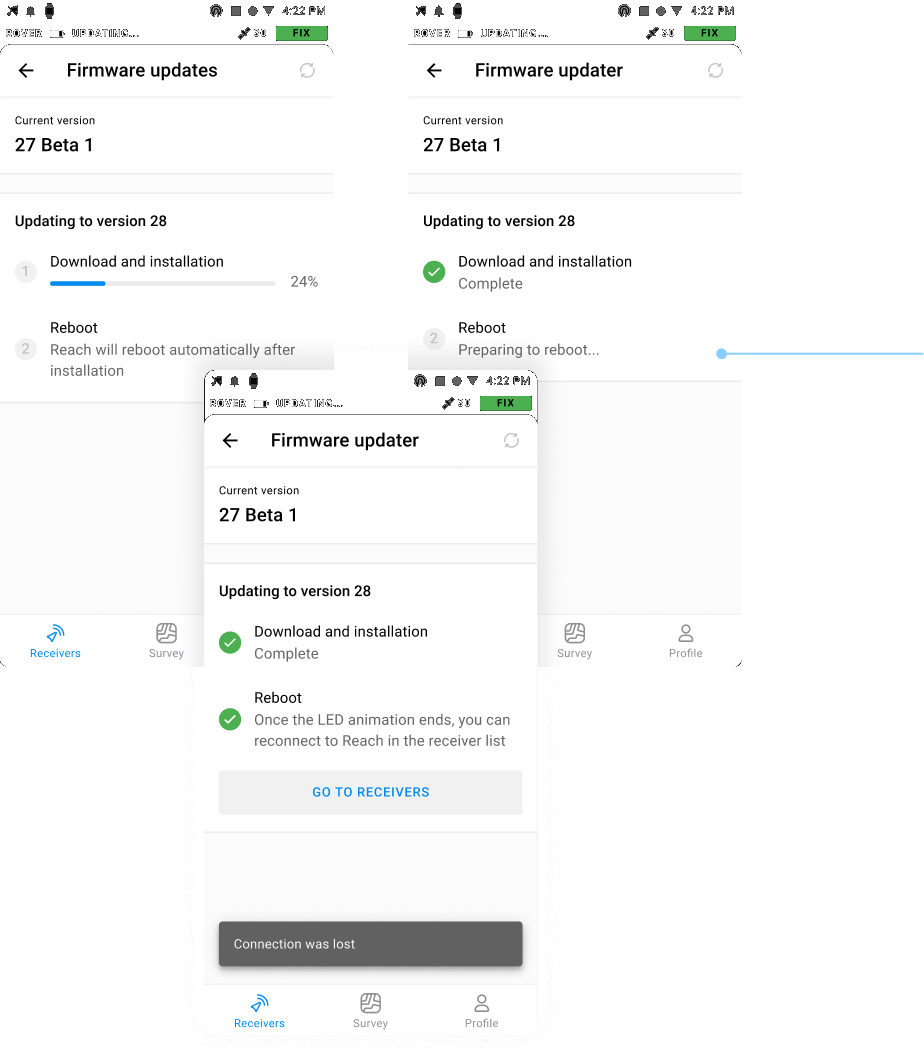
A step-by-step update, with a rough sense of how long it takes.
Download progress, reboot, and a lost connection during the firmware update
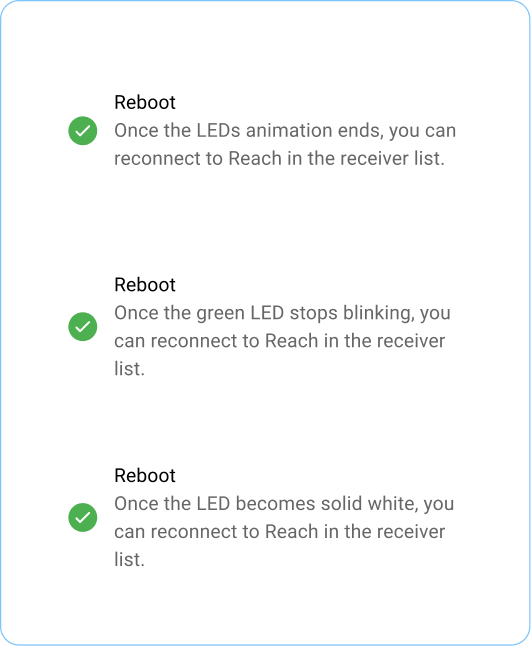
Specific instructions for each receiver type.
Reboot guidance for RS2, RS2+, RS3, RS, Reach Module, and RX
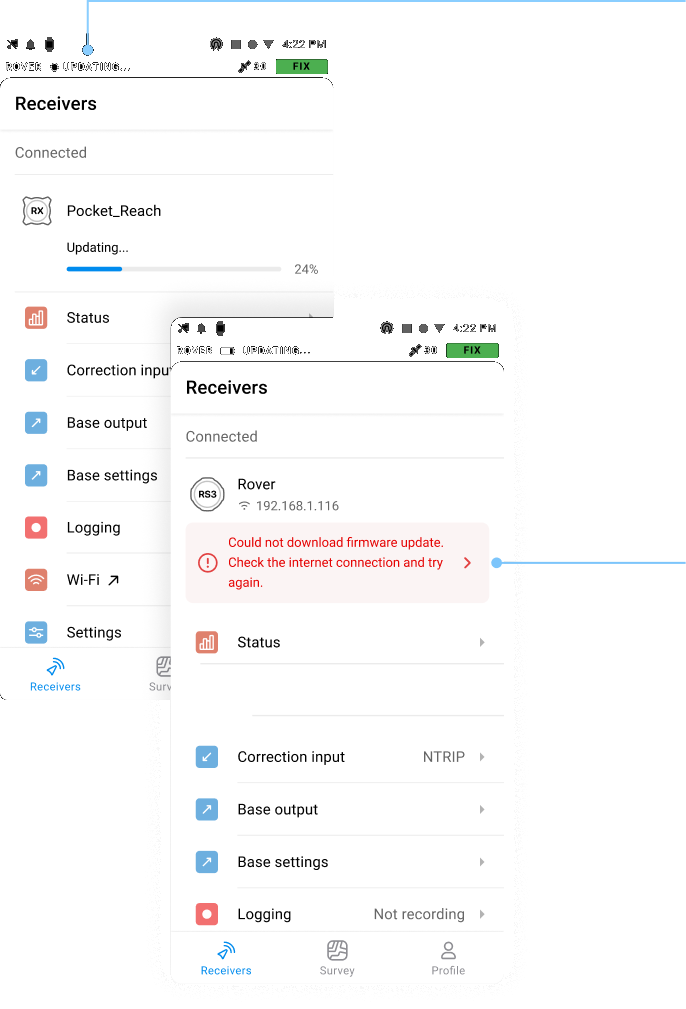
Update progress stays in the status bar, on any screen. The update runs on the home screen, so its status is visible without moving through the app.
Receiver list with an update in progress and a failed firmware download